Automation

What Is Workflow Automation and Why Are Businesses Spending $38B on It?

Grid Theory·
What Is Workflow Automation and Why Are Businesses Spending $38B on It?

What Is Workflow Automation and Why Are Businesses Spending $38B on It?

Every minute your team spends on repetitive tasks is a minute stolen from growth, strategy, and innovation. Workflow automation is the solution — and businesses worldwide are investing $38 billion annually to reclaim their time and multiply their results.
$38B
Global automation market size in 2024
40%
Average time saved through automation
3.2x
Average ROI within first year

What Is Workflow Automation?

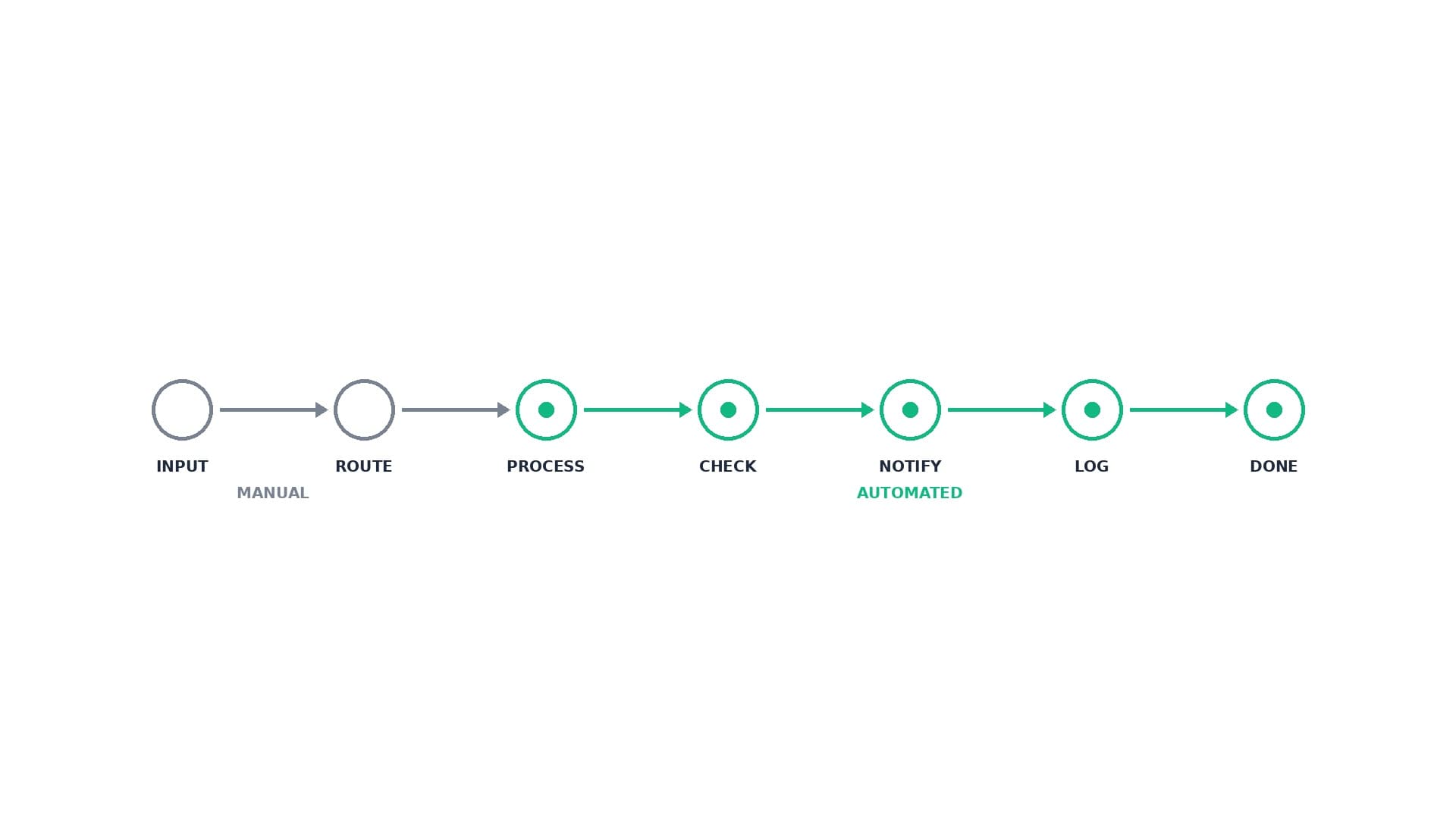
Workflow automation uses technology to handle repetitive business processes without human intervention. Instead of manually moving data between systems, sending follow-up emails, or updating spreadsheets, software handles these tasks automatically based on predefined rules and triggers.

Simple Example: When a prospect fills out your contact form, workflow automation can instantly send a welcome email, add them to your CRM, assign them to a sales rep, schedule a follow-up task, and notify your team — all without anyone lifting a finger.

Common Workflow Automation Examples

  • Lead Management: New leads automatically enter your CRM, get assigned to reps, and receive personalized follow-up sequences
  • Customer Onboarding: New clients automatically receive welcome packets, contract templates, and project kickoff materials
  • Invoice Processing: Approved invoices automatically get sent to clients, with payment reminders scheduled if unpaid
  • Support Tickets: Customer issues automatically get categorized, assigned to specialists, and tracked through resolution
  • Content Publishing: Blog posts automatically get formatted, scheduled across social media, and distributed to email lists

The Business Automation ROI: Why Companies Invest Billions

The $38 billion global spending on automation isn't just hype — it's driven by measurable returns that compound over time.

Immediate Cost Savings

The most obvious ROI comes from labor cost reduction. When automation handles routine tasks, your team can focus on high-value activities that drive revenue growth.

ROI Calculator Example

Scenario: Mid-size service business automating lead follow-up

  • Manual Process: 2 hours daily managing leads, follow-ups, and data entry
  • Employee Cost: $25/hour × 2 hours × 250 working days = $12,500/year
  • Automation Investment: $5,000 initial build + $1,200/year maintenance = $6,200 total
  • Net Savings Year 1: $12,500 - $6,200 = $6,300
  • ROI: 102% in the first year alone
Bonus: Automation also eliminates human errors, improves response times, and captures leads that would otherwise slip through cracks — adding even more value.

Hidden ROI Multipliers

  • Faster Response Times: Automated follow-ups respond instantly, increasing conversion rates by 15-25%
  • Zero Human Error: No more missed leads, incorrect data entry, or forgotten follow-ups
  • 24/7 Operation: Your workflows run around the clock, capturing and nurturing leads even while you sleep
  • Scalability: Handle 10x more volume without adding staff
  • Data Intelligence: Automated systems capture detailed analytics that inform better business decisions

What Is Hyperautomation?

Hyperautomation takes workflow automation to the next level by combining multiple technologies — AI, machine learning, robotic process automation (RPA), and intelligent document processing — to automate entire business processes end-to-end.

Traditional Automation: "When someone fills out a form, send them an email."
Hyperautomation: "When someone fills out a form, analyze their responses with AI, score their fit, automatically research their company, personalize outreach based on their industry, schedule appropriate follow-up sequences, and alert the best-matched sales rep with a custom briefing."

Hyperautomation Components

  • AI Decision Making: Systems that analyze data and make intelligent choices without human input
  • Document Intelligence: Automatically extract and process information from contracts, invoices, and forms
  • Predictive Analytics: Forecast customer behavior, identify upsell opportunities, and prevent churn
  • Cross-System Integration: Connect every tool in your stack for seamless data flow
  • Intelligent Routing: Automatically assign tasks, leads, and support tickets to the right people

Hyperautomation in Action: Real Examples

Grid Theory Case Study: We built a hyperautomated dealer onboarding system for Autto.com that:

  • Automatically generates custom contracts based on dealer responses
  • Routes different document types to appropriate approval workflows
  • Sends conditional notifications based on completion status
  • Integrates with DocuSign, CRM, and accounting systems
  • Provides real-time dashboard tracking for all stakeholders

Result: Reduced onboarding time from weeks to days while eliminating manual errors.

When to Invest in Automation

Not every process needs automation, but certain signals indicate you're ready for significant ROI:

Prime Automation Candidates

  • High-Volume Repetitive Tasks: Processing leads, sending invoices, updating records
  • Multi-Step Processes: Client onboarding, project kickoffs, compliance workflows
  • Time-Sensitive Actions: Follow-up sequences, appointment reminders, deadline notifications
  • Data Movement: Syncing between CRM, accounting, and project management tools
  • Communication Workflows: Status updates, progress reports, milestone notifications
Rule of Thumb: If your team does the same task more than 5 times per week, it's probably worth automating. If it involves copying data between systems, it's definitely worth automating.

Getting Started with Workflow Automation

The key is starting with high-impact, low-complexity workflows and expanding from there.

Step 1: Audit Your Current Processes

Map out workflows that consume the most time or cause the most frustration. Look for:

  • Manual data entry between systems
  • Repetitive email sending and follow-ups
  • Status updates and progress reporting
  • File organization and document routing

Step 2: Calculate Potential ROI

For each process, estimate:

  • Hours spent weekly on manual work
  • Employee hourly cost
  • Error rates and their impact
  • Opportunity cost of time spent on low-value tasks

Step 3: Choose Your Automation Approach

  • DIY Tools: Zapier, Microsoft Power Automate for simple workflows
  • No-Code Platforms: n8n for more complex multi-step processes
  • Custom Development: For unique business requirements and maximum flexibility

At Grid Theory, we typically recommend custom-built solutions for growing businesses because they offer:

  • Perfect fit to your exact workflows
  • No monthly per-user fees as you scale
  • Complete data ownership and control
  • Unlimited customization as needs evolve

Ready to Join the $38B Automation Revolution?

Let's identify your highest-ROI automation opportunities and build a custom system that fits your exact workflows.

Book Your Discovery Call

Discovery calls are free. Custom automation blueprints included.

G

Grid Theory

Building AI-powered infrastructure for businesses ready to scale.

We use cookies to analyze site traffic and improve your experience. By accepting, you consent to the use of cookies for analytics and advertising purposes.